
Prepare your materials
Prepare product photos for a video ad
Start with the product you are actually selling and the reason a shopper would care. Use the finished bag example to prepare your photos, key facts and next action, then send your own brief.
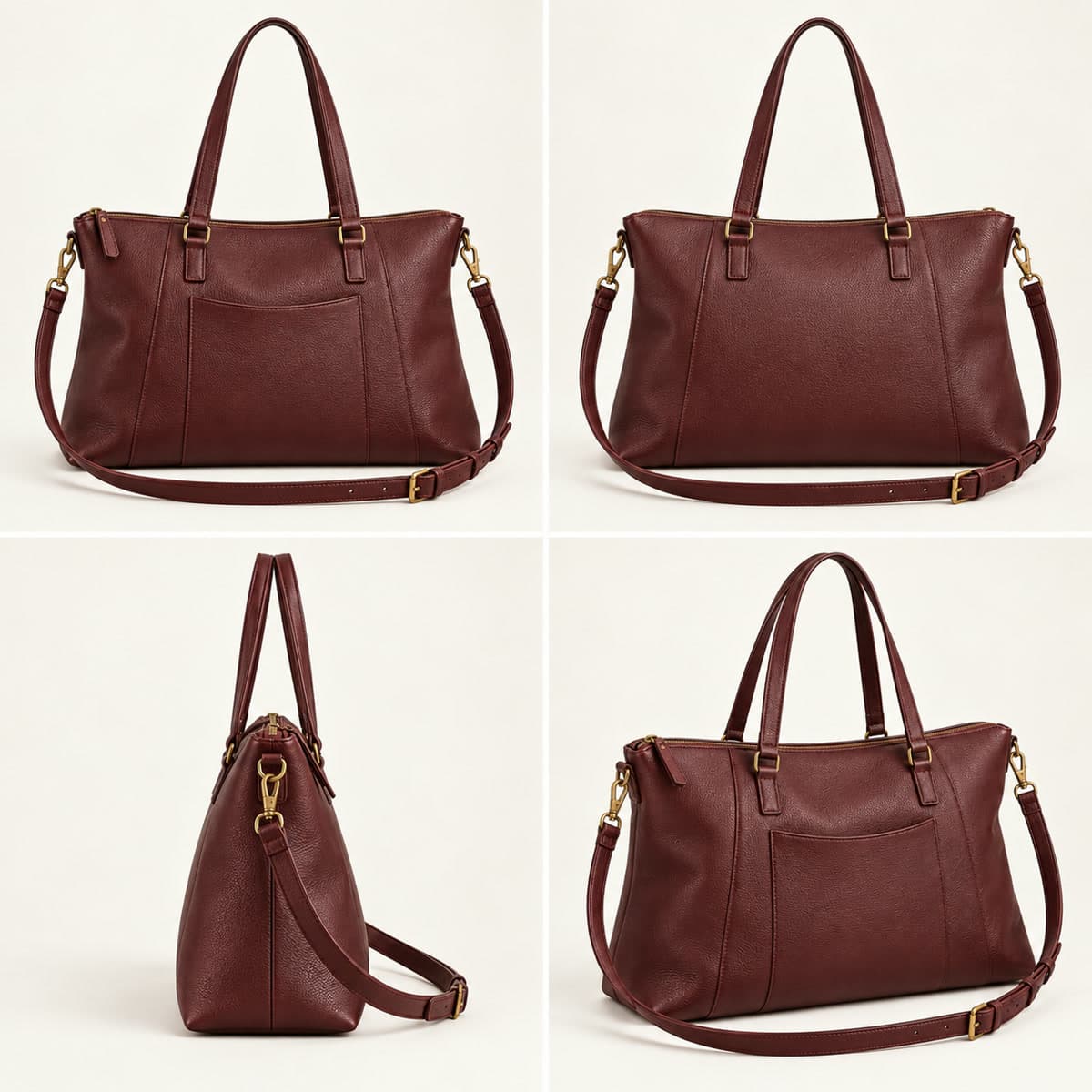
What you send
- A clear photo of your product that you have permission to use. One photo is enough to start; a collage of additional angles is optional.
- The product name and the actual features you want shown. Supply any price, materials or offer conditions explicitly.
- Your product-page destination and any logo, wording, colour or design details that must be preserved.
Original image. Names, stock and offers in this example are fictional.
Watch the full film and its original imageWooCommerce · Photo to finished MP4
From your product photo to your WordPress Media Library
Follow the photo selection, ordering steps and finished-video import. The walkthrough uses an operator-owned demonstration shop and the actual delivered English bag commercial.
- Install and choose. Download the plugin ZIP from the installation guide. In WordPress, open WooCommerce → RakuMovie, enter a published product or variation ID, and select one of its photos and the video language.
- Approve, send and order. Review the data-sharing notice, open RakuMovie and match the connection code. After approval, send the photo from WordPress. Return to RakuMovie to review your brief and the price or free-trial conditions before ordering. Connecting alone does not place an order.
- Receive and import. After the film is delivered, return to the plugin and import the finished video into your Media Library. Add it with a WordPress Video block or a compatible product-gallery plugin. RakuMovie does not change your storefront automatically.
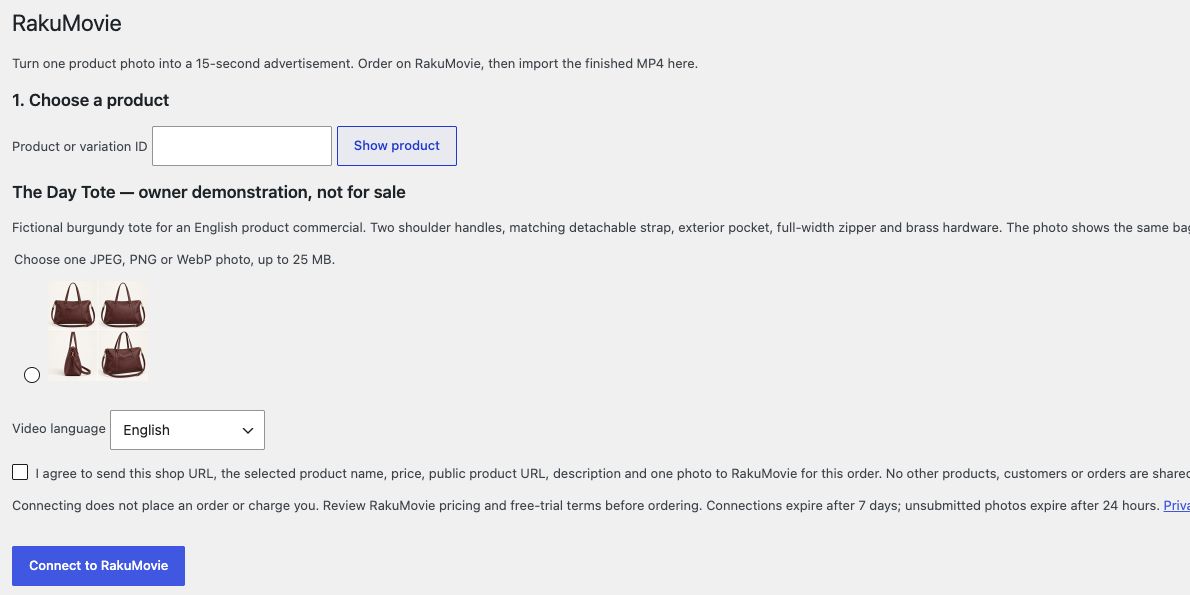
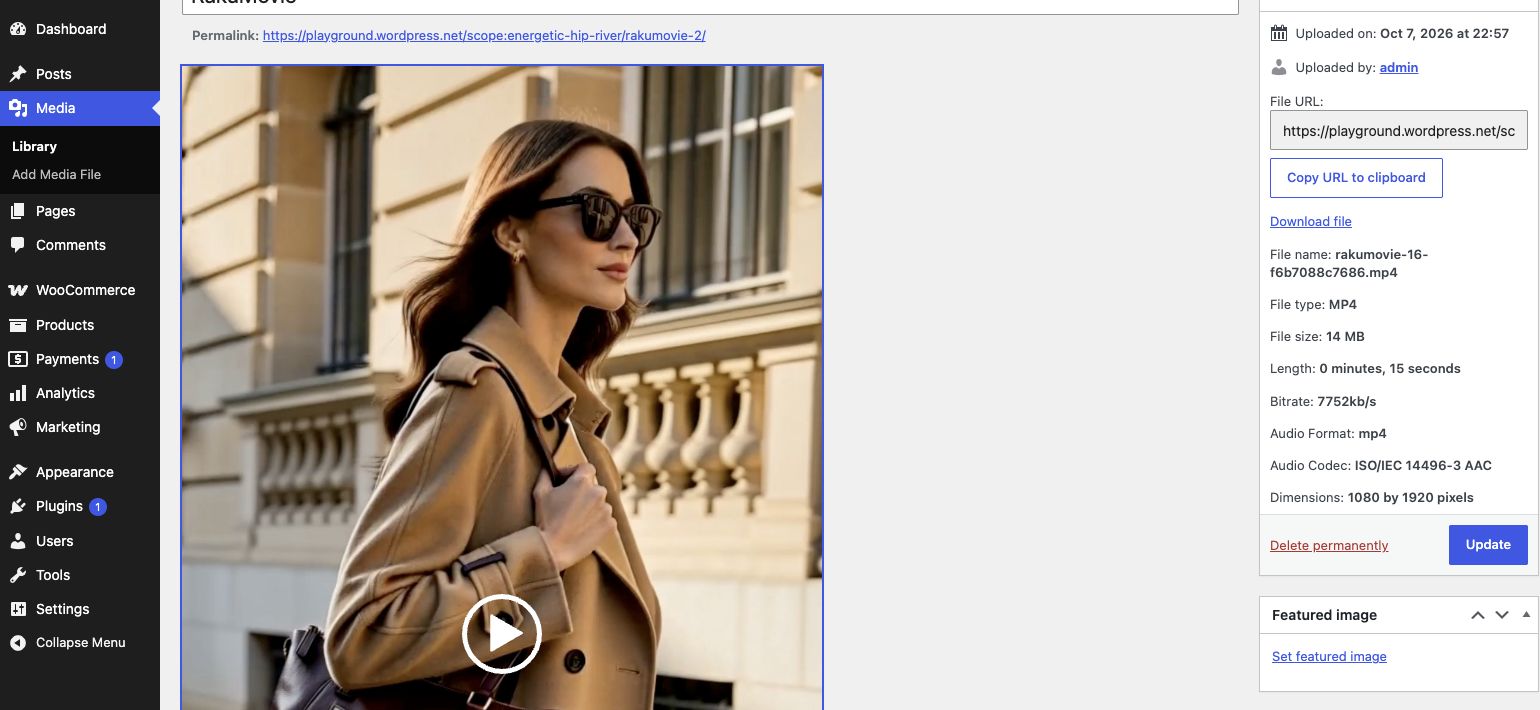
Illustrated walkthrough: production waiting time and checkout are omitted. The bag and generated lifestyle scenes are fictional; this is not a customer testimonial or evidence of sales. Four-angle references are optional. The imported file may be publicly accessible on your WordPress site.
Make a video from your product photoYour preparation sheet
Write only the information you want used. Copy or download it, then include it as additional information in the existing order flow.
Your entries stay in this open page. They are not uploaded or saved by this sheet. Save a copy before leaving. This does not place an order.
Add your details above to prepare a brief.
Questions before ordering
- Do I need four photos?
- No. One clear product photo is enough to start. This example uses four angles arranged in one image. Additional views can explain the product, but this demonstration does not prove better reproduction than one photo or guarantee exact details.
- Can you show someone using my product?
- The commercial can include generated people and lifestyle scenes, as in this example. Those scenes are illustrative, not evidence of a real endorsement, test, customer or product performance.
- Can I send photos from WooCommerce?
- Yes. Install the RakuMovie plugin, connect your shop, then select one published product or variation and one of its images. After delivery, import the MP4 to the WordPress Media Library. Placing it on a product page depends on your theme or gallery plugin.
- Is the bag available to buy?
- No. The Day Tote is a fictional operator-owned sample. The film has English text and audio. Use your own product photos and verified product facts for your order.
Edit it yourself or receive a finished film?
Edit it yourself
You arrange the shots, edit the clips, design the text and finish the sound. This suits you when you need hands-on control and have the time and tools.
RakuMovie
You provide product photos and facts. RakuMovie produces a finished 15-second commercial with editing, text and sound after automated quality checks. Ad placement, legal review and guaranteed sales are not included.
Plan for actual repeat use
These are ways to allocate separate orders, not automatic campaigns. Choose a one-off order when you need only one film. Check the shared terms and prices below for monthly allowances; unused slots and production instructions follow those terms.
Example: three films
- Introduce a newly launched product
- Show a second product in a different use scene
- Present a gift option with your actual offer
Example: five films
- Three distinct product launches or offers
- A different use scene for a selected product
- A seasonal gift film with current conditions
Make a new brief for each product launch, seasonal offer or different use scene. Choose a one-off film when you only need one; monthly plans suit recurring product releases. Photography, posting, ad buying and automatic inventory updates are not included.
Free-trial conditions and prices
- Do you check rights, legal compliance and ad approval?
- RakuMovie creates and delivers videos. You are responsible for permissions to use the materials and people’s likenesses, accurate product information and prices, applicable advertising laws, necessary disclaimers, platform approval and your final check before publishing. Legal review, ad management and marketing support are not included.
- Is AI involved?
- Yes, generative AI is used in parts of production. You do not need to write prompts, choose models or keep regenerating clips. We deliver a finished video ad, with editing and automated quality checks included.
- Do I need to learn an editing tool?
- No. Send a photo and any existing page links or documents you want us to use. We handle production; you do not need editing software or AI skills.
- Will there be meetings or sales calls?
- No. We work from the information and materials you submit. We do not make sales calls.
- What does it cost?
- Your first video is free, once per business. No card required. After that, choose one video for USD 188.00, three per month for USD 378.00, or five per month for USD 568.00. Prices include tax, are billed in the displayed currency and have no setup fee. With the five-video monthly plan, an extra video costs USD 150.40, 20% below the one-off price.
- Can I buy just one video?
- Yes. A one-off video costs USD 188.00, including tax. No monthly subscription is required.
- When will it be ready?
- Production can take as little as 20 minutes after we have your materials, phone verification and notification address. This is an estimate, not a guaranteed delivery time. Demand, unsuitable images or unclear content can make it take longer.
- What if I do not like the result?
- Because this is a custom digital production, cancellations and refunds are unavailable once production begins. If you find a significant defect, contact us through the support form so we can review it under the service terms.
For editors and publishers
Use this factual summary and the linked operator-owned sample when covering RakuMovie. Keep its example status and film language clear. This is not a customer testimonial.
Download editorial information